GUIDES
How to Find Better Flights With Airglitch
Last update on August 14, 2026
Content
This guide explains how to find lower fares and get better flights using Airglitch, a flight search engine that makes complex flight savings easy to find.
Airglitch's distinctive flight offers
Airglitch turns advanced saving strategies into a simple search, helping you find lower fares. Its technology applies various predictive methods to find unconventional ticketing arrangements, cheaper tickets that fly further, and more.
This results in a range of ticket options that most search tools overlook, e.g.:
- Spare multicity
- Spare return
- Hidden city
- Back-to-back ticketing
- Nested ticketing
See our Guide to Airglitch Booking Strategies to learn about the strategies covered by Airglitch and how they work. To compare the scope of Airglitch with other tools, check out Airglitch vs other Flight Search Engines.
When Airglitch works best
Airglitch is particularly effective at bringing down the cost of expensive and high-demand flights. This makes it particularly suitable for:
- Regular flyers on repeat routes
- Convenience-oriented travelers
- Last-minute travelers
- Business travelers
Finding the absolute cheapest flight is generally well served by other platforms, but often at the cost of a couple of stops, longer layovers, distant airports and other inconveniences. If you are craving a direct prime flight leaving on Friday right after work, Airglitch does a great job at finding you a cheaper booking option.
Step-by-step guide
1. Enter your travel details
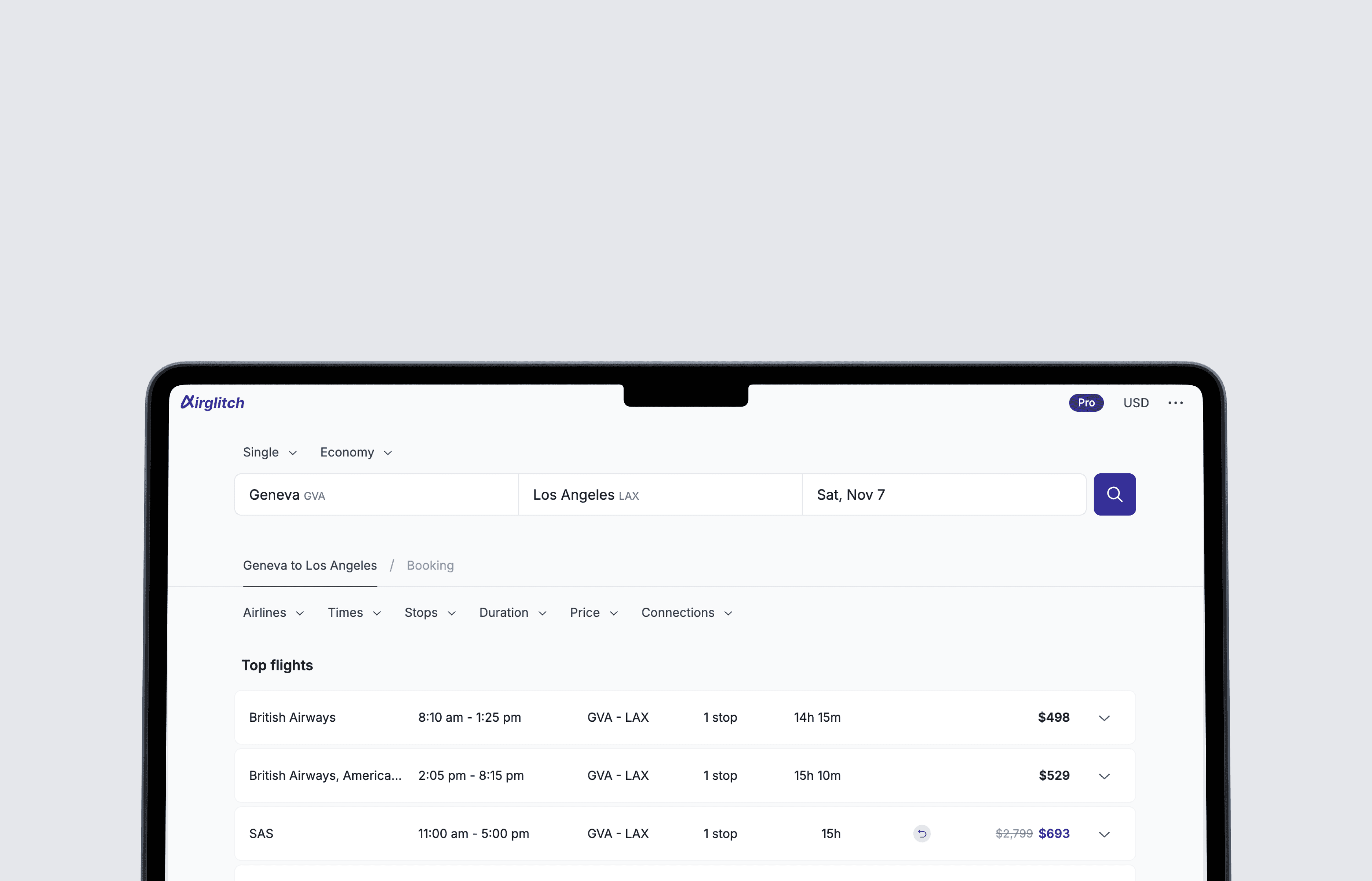
Enter your departure and destination airports and your travel dates, then hit search.
Select one of four different types of search:
- Single: a one-way from A to B
- Return: a roundtrip from A to B and back
- Multicity: a trip to multiple destinations
- Multisearch: different trips searched together to find a better fare overall
2. Select a flight offer
Flight offers are displayed for each step of the journey. E.g. for a roundtrip, you will first select the outbound flight, then the return flight. Each offer is labeled with the cheapest available total price for the entire trip. When a flight offer includes a saving strategy, it is labeled with a logo and explained in the detailed view.
For the best results, wait until all the offers are loaded.
3. Compare booking options
Once you've selected a flight for each step of the journey, you can compare booking options. Several airlines might issue tickets for the same flight due to codeshare agreements. Click the link to complete your booking on the airline's website. If the link is not available, search for the same itinerary directly on the airline's website.
Selecting the right booking option
In most cases, going for the cheapest option is the best choice. However, you might prefer to book with a certain airline because of your loyalty program. When it comes to booking strategies, there are a few subtleties to consider. In short, don't fly on a hidden city ticket if you want a checked bag, or if you deem it too risky (e.g. you are a frequent flyer on that airline). For more information, see our Guide to Airglitch Booking Strategies, where you'll find explanations of potential drawbacks, so you can make an informed decision.
Visit airglitch.com to save on flights, share your feedback and follow us on socials to get the latest updates.
Created on December 2, 2024